A Happy New Year
2022
to You All!
from
SilverTiger and Tigger

In this morning’s post, I described my failures to download and install iCloud for Window, an application which I have hitherto found very useful or even essential as one who uses both an iPhone and a Windows PC.
You may also recall that I consulted a total of four supposed experts (one indirectly), none of whom were able to resolve my problem. Any reasonable person would have given up at that point but, well, as CJ (see The Fall and Rise of Reginald Perrin) would have said “I didn’t get where I am today by being reasonable”.
I spent some time investigating programs that were claimed to mediate between iPhones and PCs but could not make up my mind to try any of them. Tiring of this fruitless exercise, I started digging around. The first topic for investigation was the claim that my PC was set to the wrong country.
You may remember that the expert at Curry’s told me that it was not possible to change this PC’s country through the settings. Wrong. I found the setting (with a little online help) and saw that my country is set correctly to United Kingdom. Thus, an incorrect setting is not to blame for the problem and I won’t be needing to take the machine back to the shop. On the face of it, there’s no reason why iCloud cannot be installed on it.
As the Microsoft links that I had tried did not work, I proceeded to look for others. I searched high and low and eventually, stuck away in a corner of some page on Microsoft’s Gothic website, found another one. I clicked it and… it said it was downloading. I wasn’t sure it was telling the truth because I couldn’t see anything in the Download folder but I deferred judgement until it completed. It turned out that there was nothing in the folder because Microsoft was installing the application directly and not downloading a file first.
Installation complete, I was able to log into the app with my Apple ID and configure it. That done, the next thing was to connect my iPhone and PC with a USB cable and see what happened.
What happened was what was supposed to happen: the phone popped up a message asking for permission to connect to the PC and new folder, called Apple iPhone, appeared on my PC. In it, as I had hoped, were my iPhone photos. Job done. Total success.
If there is a lesson in all this it is perhaps that the old saying If at first you don’t succeed, try, try again has merit and that, sometimes at least, having a moderately obsessive nature like mine sometimes pays off!
I am used to the fact that, when you acquire a new piece of complex equipment, there usually follows a period of adjustment and even frustration before everything works as you wish. Nowhere is this more true than in the field of computers.
In his novel 1984, Orwell envisages a world divided among the three superpowers Oceania, Eurasia and Eastasia. As far as our technological world is concerned, a better division might be between Microsoft, Apple and Google. Many of the technical problems this small family faces arise from the fact that, while our phones come from Apple, our computers belong to Microsoft.
(I use the word “belong” advisedly. You may think you own your PC but in fact, Microsoft never releases hold of it and you remain beholden to this company until you finally relinquish any and all products owned by them. Symbolic of this proprietorial grip is the fact that when you log in to your computer, it displays a “Welcome” message – a clear sign that you are entering someone else’s territory.)
One way to effect some sort of channel between your PC and your Apple phone is to install iCloud for Windows on your PC. I had this application on my old computer and placed its installation on the new one near the top of my to-do list. Today was the day to do this.
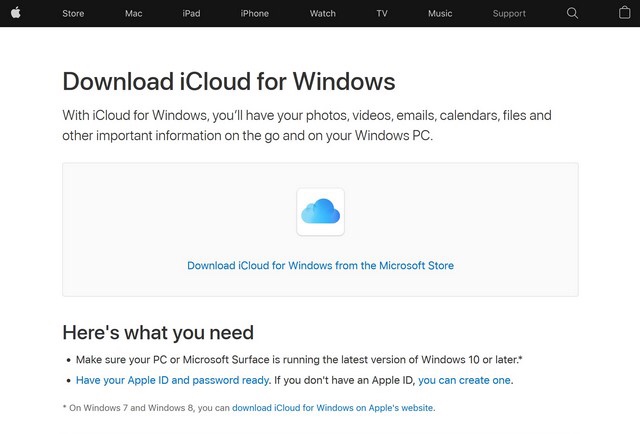
Apple’s link to iCloud for Windows
First, I searched Apple’s UK site and found this useful page. All I had to do now was to click the link and be transported to Microsoft’s download page.
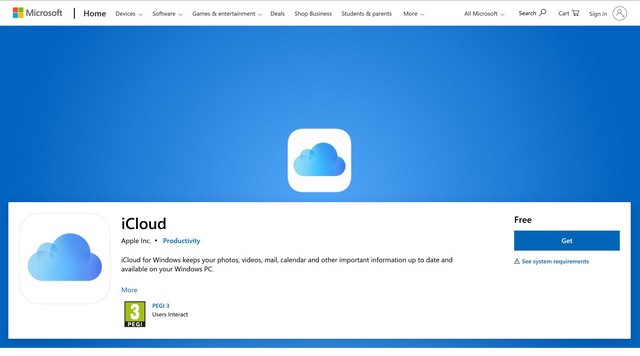
Microsoft’s iCloud download page
So far, so good, and everything’s going as planned. I hit the “Get” button.
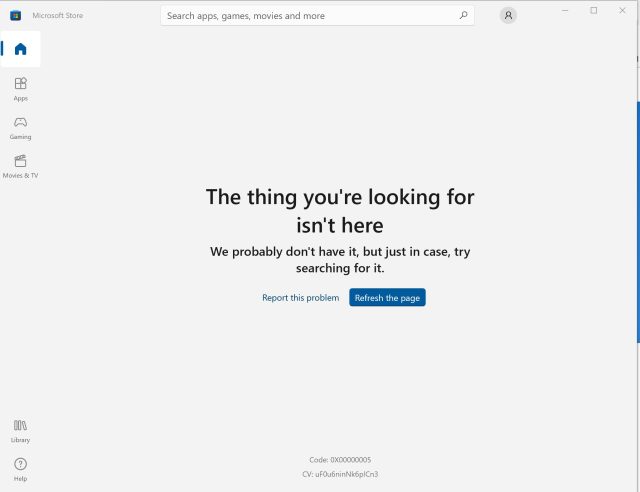
My “thing” is not there
That was the moment when the sunshine disappeared and the storm clouds gathered: my “thing” was apparently not there. Clicking the blue link produced no result; searching Microsoft’s site only turned up more dud links. Impasse.
Apple provides “help” in the form of pages and pages of written information online but I was in no mood to waste time with this: I wanted a result and I wanted it now. So I telephoned Apple Support. Having made my way safely past Cerberus aka the recorded voice, I was connected to a young man with a slight foreign accent who listened patiently to my description of the problem and assured me he could help. It took him some time, however, during which the silence was occasionally broken by exclamations of “OK” but nothing further. I think he was searching through all those pages of information.
At last, he enquired whether I could access my email and, when I said yes, emailed me a link which, he assured me, would enable me to download iCloud for Windows. We parted amicably.
Yes, it was naive of me to think that a solution of my problem would arrive so easily. I clicked the link in the email and – you’ve already guessed it – was informed that my “thing” wasn’t there. Impasse.
I now wasted some time looking for an Apple forum and posting a message to it. I shall be surprised whether anything useful emerges from it but you never know.
Annoyed and frustrated, I called Apple Support a second time. This time, I was connected to a support person with an American-sounding accent. In response to my description of the problem, she emailed me a link but stayed online while I tried it. My “thing”, however, was still not there. I was asked to wait while she discussed the matter with her superior.
When she returned, she asked “What country are you in – the UK?” I confirmed that this was so. Came back the response “We think that though you are in the UK, your computer is set to another country, hence Microsoft declining to download the software”. Impasse.
This left me with one last card to play: I phoned Curry’s support line. I had called them yesterday about a small problem and they had quickly solved it. Would they perform the same magic today?
A man answered the phone and I again recited my story lengthening story. There followed a long pause during which I could breathing and precious little else until I began to wonder whether I had bored him to sleep. He eventually returned but it was to say that this problem could not be solved by means of the computer’s settings. I would have to bring it to the shop. Impasse.
Of course, I cannot take the computer to the shop or anywhere else for at least a week and we are out of “self isolation”. Then again, being confined to the house probably means that I will have less need to transport items between the phone and the PC. So let’s look on the bright side! 🙂
 SilverTiger at home and abroad